Home › Productivity › 25 Best ChatGPT Prompts for Students in 2026: Study Smarter, Save Time & Improve Your Grades
25 Best ChatGPT Prompts for Students in 2026: Study Smarter, Save Time & Improve Your Grades
#ChatGPT prompts for studying
#AI prompts for students
#ChatGPT for homework
#ChatGPT prompts for exams
Introduction
Artificial Intelligence has transformed the way students learn, research, and prepare for exams. Whether you're in school, college, or preparing for competitive exams, AI tools like ChatGPT can save hours of work—if you know how to ask the right questions.
One of the biggest mistakes students make is typing short requests like:
"Explain photosynthesis."
While ChatGPT will provide an answer, it often won't be tailored to your learning style or academic level.
Instead, using well-structured prompts helps ChatGPT generate clearer explanations, better summaries, personalized study plans, quizzes, flashcards, and even feedback on your assignments.
Think of ChatGPT as a study partner rather than a search engine. The quality of its responses depends largely on the quality of your prompt.
In this guide, you'll discover 25 practical ChatGPT prompts that can help you:
- Learn difficult concepts more quickly
- Prepare for exams efficiently
- Create high-quality notes
- Improve writing assignments
- Practice interviews and presentations
- Understand complex topics in simple language
- Save hours every week
Whether you're preparing for board exams, university coursework, UPSC, SSC, NEET, JEE, or simply looking to study smarter, these prompts can make your learning process far more effective.
Why Good Prompts Matter
Many students assume ChatGPT "knows what they mean." In reality, AI performs best when it receives clear instructions.
Compare these two examples.
Poor Prompt
Explain the French Revolution.
The answer may be correct, but it will likely be generic.
Better Prompt
Explain the French Revolution to a Class 10 student in simple language. Include the major causes, important events, key leaders, timeline, and five exam-oriented questions at the end.
Notice the difference?
The second prompt tells ChatGPT:
- Who the audience is
- How detailed the explanation should be
- What information to include
- The preferred format
- The final outcome
This results in a much more useful answer.
As a general rule:
The more context you provide, the better ChatGPT performs.
Before You Start: A Few Best Practices
Before using the prompts below, keep these tips in mind:
- Always mention your education level (school, college, undergraduate, postgraduate, etc.).
- Ask ChatGPT to explain concepts in simple language if you're unfamiliar with the topic.
- Request examples whenever possible.
- Use follow-up questions to clarify confusing points.
- Cross-check factual information, especially for academic submissions and research papers.
- Never submit AI-generated assignments without reviewing and editing them yourself.
Now, let's explore the prompts.
1. Explain Any Topic Like I'm a Beginner
One of the most valuable ways to use ChatGPT is to simplify complex topics.
Instead of reading lengthy textbooks filled with technical jargon, you can ask for explanations tailored to your current level of understanding.
Prompt
Explain [Topic] as if you're teaching a complete beginner. Use simple language, everyday examples, and avoid technical jargon. Finish with a short summary and three important points I should remember.
Best For
- Science
- Economics
- Law
- Programming
- Mathematics
- History
Example
Explain Blockchain like I'm a beginner.
ChatGPT can compare blockchain to a shared digital notebook that everyone can see but no one can secretly alter, making the concept much easier to understand.
2. Create Exam Notes in Minutes
Reading an entire chapter multiple times isn't always practical.
Instead, let ChatGPT organize the information into concise notes that are easier to revise.
Prompt
Convert this chapter into revision notes using headings, bullet points, definitions, important formulas, examples, and key facts. Highlight the topics that are frequently asked in exams.
Simply paste your study material into ChatGPT after the prompt.
Why It Works
Well-structured notes make revision faster and reduce information overload during exam season.
3. Build a Personalized Study Plan
Many students spend more time deciding what to study than actually studying.
A customized study plan can help you stay organized and reduce procrastination.
Prompt
Create a 30-day study timetable for [Exam Name]. I can study 4 hours every weekday and 7 hours on weekends. Include revision days, mock tests, and short breaks to prevent burnout.
Example
- UPSC
- SSC CGL
- JEE
- NEET
- CBSE Board Exams
- Semester Exams
A personalized schedule is usually much more practical than downloading a generic timetable from the internet.
4. Generate Practice Questions
Testing yourself is one of the most effective ways to remember information.
Rather than reading notes repeatedly, ask ChatGPT to quiz you.
Prompt
Create 20 exam-style questions on [Topic]. Include multiple-choice questions, short-answer questions, and long-answer questions. Provide the correct answers separately.
You can also ask for different difficulty levels:
- Beginner
- Intermediate
- Advanced
This helps you gradually improve your understanding.
5. Summarize Long Articles and PDFs
Students often receive reading materials that are dozens of pages long.
Instead of spending hours extracting the main points, let ChatGPT summarize them.
Prompt
Summarize this document in less than 500 words. Include the main arguments, important facts, definitions, examples, and key takeaways. Create a revision checklist at the end.
This is especially useful for:
- Research papers
- Case studies
- Academic journals
- Newspaper articles
- Class notes
6. Improve Assignment Writing
Many students know the subject well but struggle to present their ideas clearly.
ChatGPT can help improve grammar, readability, and structure without changing your original meaning.
Prompt
Improve this assignment by making it more professional, grammatically correct, and academically appropriate. Do not change the meaning. Suggest improvements where necessary.
Remember to review the edited version and ensure it reflects your own understanding before submitting it.
7. Memorize Faster Using Flashcards
Flashcards are one of the simplest and most effective revision tools.
ChatGPT can generate them instantly.
Prompt
Create 30 flashcards from this chapter. Put the question on one side and the answer on the other. Focus on important exam concepts, formulas, and definitions.
These flashcards can later be imported into apps like Anki or Quizlet for spaced repetition practice.
8. Learn Through Real-Life Examples
Some concepts are difficult because textbooks explain them in an abstract way.
Relating ideas to everyday situations often makes them much easier to remember.
Prompt
Explain [Concept] using real-life examples, analogies, and simple stories. After the explanation, give me three practical situations where this concept is used.
Example
Instead of only defining "Inflation," ChatGPT could explain how rising grocery prices affect a family's monthly budget, making the concept more relatable and memorable.
Key Takeaways So Far
The first eight prompts focus on building a strong foundation for learning:
- Simplify complex topics.
- Turn lengthy chapters into concise notes.
- Create personalized study plans.
- Test your understanding with quizzes.
- Summarize large documents efficiently.
- Improve the quality of your assignments.
- Use flashcards for active recall.
- Understand concepts through real-world examples.
These techniques not only save time but also encourage active learning, which is generally more effective than passive reading.
9. Research Any Topic Without Feeling Overwhelmed
Researching a new topic can quickly become confusing. A simple Google search often returns thousands of results, making it difficult to know where to begin. ChatGPT can act as a research assistant by organizing information into a structured learning path.
Prompt
I'm researching [Topic]. Give me a beginner-to-advanced overview, including important concepts, key terminology, major developments, common misconceptions, and recommended resources for further reading. Organize everything in a logical learning order.
Example
I'm researching Artificial Intelligence.
Instead of random information, ChatGPT can organize the response into sections such as:
- What is AI?
- History of AI
- Types of AI
- Machine Learning
- Deep Learning
- Generative AI
- Real-world applications
- Current challenges
- Future trends
This structured approach helps students understand how different concepts connect.
10. Turn Difficult Chapters Into Simple Revision Notes
Many textbooks are written in an academic style that can be difficult to understand during exam preparation.
Instead of reading the same chapter repeatedly, ask ChatGPT to rewrite it into concise revision notes.
Prompt
Rewrite this chapter into easy-to-understand revision notes. Use bullet points, important definitions, formulas, examples, diagrams (described in text), and a final one-minute revision summary.
Why This Helps
Short, organized notes are easier to revise before exams and reduce unnecessary reading.
Ideal for:
- Biology
- Chemistry
- Physics
- Economics
- Law
- Computer Science
11. Generate High-Quality Essay Ideas
One of the biggest challenges students face is simply getting started.
If you've ever stared at a blank page wondering what to write, ChatGPT can help you brainstorm ideas before you begin writing.
Prompt
Help me write an essay on [Topic]. Suggest an engaging introduction, key arguments, supporting examples, counterarguments, and a strong conclusion. Do not write the full essay—help me build a solid outline first.
This approach encourages original thinking while giving you a clear direction.
Bonus Prompt
Suggest five unique perspectives that most students wouldn't include.
Adding unique viewpoints can make your assignment stand out.
12. Understand Mathematical Problems Step by Step
Simply seeing the final answer isn't enough.
The real learning happens when you understand every step involved.
Prompt
Solve this problem step by step. Explain why each step is performed instead of only giving the final answer. If possible, mention common mistakes students make.
Works Well For
- Algebra
- Calculus
- Statistics
- Geometry
- Probability
- Accounting
Learning the reasoning behind each step helps you solve similar questions independently later.
13. Improve Your Programming Skills
Whether you're learning Python, Java, C++, JavaScript, or SQL, ChatGPT can explain code in plain English.
Prompt
Explain this code line by line as if you're teaching a beginner. Tell me what each function does, why it is used, possible improvements, and common mistakes developers make.
Example
Instead of only explaining syntax, ChatGPT can explain:
- Why loops are used
- Time complexity
- Alternative approaches
- Better coding practices
- Real-world applications
This is especially helpful for computer science students and aspiring developers.
14. Learn a New Language Faster
ChatGPT can also serve as a language tutor.
Whether you're learning English, Hindi, Spanish, French, German, or Japanese, personalized conversations make learning more engaging.
Prompt
Teach me [Language] as if I'm a complete beginner. Give me ten new words, pronunciation tips, example sentences, and a short conversation to practice. Correct my mistakes whenever I reply.
Example
Instead of memorizing vocabulary lists, you learn through conversation and repetition.
This method is much more interactive than traditional language textbooks.
15. Prepare for Presentations With Confidence
Public speaking is an important skill, but many students feel nervous before presentations.
ChatGPT can help organize your content into an engaging presentation.
Prompt
Help me prepare a presentation on [Topic]. Create a logical structure with an introduction, key points, supporting examples, audience engagement ideas, possible questions from the audience, and a memorable conclusion.
Bonus Prompt
Explain which slides should contain images, charts, or diagrams.
This makes your presentation more visually appealing and easier for the audience to follow.
16. Improve Critical Thinking Instead of Memorizing
Memorizing answers may help you pass exams, but understanding why something happens builds long-term knowledge.
One of the most underrated ways to use ChatGPT is to challenge your own thinking.
Prompt
Ask me challenging questions about [Topic] instead of explaining it directly. After each answer I give, evaluate my response, point out mistakes, and suggest improvements.
This creates an active learning experience similar to having a personal tutor.
Example
If you're studying climate change, ChatGPT might ask:
- Why do greenhouse gases trap heat?
- How does deforestation affect global warming?
- Can renewable energy completely replace fossil fuels?
Instead of reading information passively, you're forced to think, analyze, and explain.
Educational research consistently shows that active recall is one of the most effective learning techniques.
Quick Comparison: Which Prompt Should You Use?
| Goal | Recommended Prompt |
|---|---|
| Understand difficult concepts | Explain Like I'm a Beginner |
| Prepare for exams | Generate Practice Questions |
| Revise faster | Create Revision Notes |
| Complete assignments | Improve Assignment Writing |
| Research projects | Research Any Topic |
| Learn programming | Explain Code Line by Line |
| Improve speaking skills | Presentation Prompt |
| Learn languages | Language Tutor Prompt |
| Build critical thinking | Ask Me Questions |
| Solve maths | Step-by-Step Problem Solving |
Pro Tip: Combine Prompts for Better Results
The best results often come from combining multiple prompts instead of relying on just one.
For example, if you're preparing for a biology exam, you could follow this workflow:
- Ask ChatGPT to explain the topic in simple language.
- Request concise revision notes.
- Generate flashcards for active recall.
- Create practice questions.
- Ask ChatGPT to quiz you based on your weak areas.
This layered approach helps you understand, remember, and apply information more effectively than using a single prompt.
Expert Tip
Treat ChatGPT as a learning companion rather than a shortcut.
Instead of asking:
"Give me the answer."
Try asking:
"Help me understand how to solve this."
The second approach builds skills you'll retain long after the exam is over.
17. Prepare for Job Interviews and College Admissions
Whether you're applying for an internship, a scholarship, or your first job, interviews can be stressful. Practicing with ChatGPT allows you to improve your confidence before the real interview.
Prompt
Act as an interviewer for a [Job Role/Course/Scholarship]. Ask me one question at a time, evaluate each answer, explain where I can improve, and then ask the next question. Finish with an overall performance score and personalized feedback.
Why It Works
Unlike reading interview questions online, this creates an interactive experience where you receive immediate feedback.
You can also ask ChatGPT to simulate:
- HR Interviews
- Technical Interviews
- Group Discussions
- College Admissions
- Scholarship Interviews
- Viva Examinations
18. Improve Your Resume and Cover Letter
Students often underestimate how important a well-written resume is. Recruiters typically spend only a few seconds scanning a resume before deciding whether to continue reading.
ChatGPT can help improve clarity, structure, and impact.
Prompt
Review my resume for grammar, readability, formatting, and ATS compatibility. Suggest stronger wording for achievements and identify areas that need improvement without exaggerating my experience.
For cover letters, you can use:
Write a professional cover letter based on my resume and the following job description. Keep it concise, personalized, and focused on my relevant skills and achievements.
Important: Always verify and personalize the final version before sending it to employers.
19. Create a Weekly Productivity Plan
Many students struggle with balancing studies, assignments, extracurricular activities, and personal time.
Instead of creating unrealistic schedules, ChatGPT can build a plan around your actual routine.
Prompt
Help me create a weekly productivity schedule. I have classes from [Time], study for [Hours], and want time for exercise, hobbies, and rest. Create a balanced timetable that is realistic and sustainable.
A good schedule should include:
- Study sessions
- Revision time
- Practice questions
- Breaks
- Exercise
- Sleep
- Leisure
Consistency is far more effective than studying for long hours occasionally.
20. Brainstorm Project Ideas
Finding an original project idea can be more challenging than completing the project itself.
ChatGPT can help you explore creative and practical ideas based on your interests.
Prompt
Suggest 20 unique project ideas related to [Subject]. For each idea, explain the objective, difficulty level, required resources, expected outcome, and possible future improvements.
Example Subjects
- Artificial Intelligence
- Data Science
- Robotics
- Environmental Science
- Business Management
- Psychology
- Law
- Healthcare
You can also ask ChatGPT to recommend projects suitable for beginners or advanced learners.
21. Analyze Your Study Habits
Improving your study habits starts with understanding what's working—and what isn't.
ChatGPT can act as a study coach by analyzing your daily routine and suggesting improvements.
Prompt
Analyze my current study routine. I usually study [X] hours a day, struggle with [Problem], and often get distracted by [Cause]. Suggest practical improvements based on proven learning techniques.
Example
You might receive recommendations such as:
- Use the Pomodoro Technique
- Practice active recall
- Revise within 24 hours
- Reduce multitasking
- Schedule difficult subjects during your most productive hours
- Take regular breaks to avoid burnout
These personalized suggestions are often more practical than generic productivity advice.
22. Turn ChatGPT Into Your Personal Tutor
One of the most powerful ways to use ChatGPT is to create a continuous learning experience.
Instead of asking unrelated questions, ask ChatGPT to teach you like a private tutor.
Prompt
Act as my personal tutor for [Subject]. Create a structured learning plan from beginner to advanced. Teach one lesson at a time, ask questions after each lesson, evaluate my understanding, and recommend additional practice if needed.
This keeps your learning organized instead of jumping randomly between topics.
23. Learn Faster With the Feynman Technique
The Feynman Technique is a popular learning method that involves explaining a concept in simple language. If you can't explain it simply, you probably don't understand it well enough.
ChatGPT can help you practice this technique.
Prompt
I'll explain [Topic] in my own words. Identify any mistakes, missing information, or unclear explanations. Then rewrite my explanation so that a 12-year-old could easily understand it.
This exercise helps identify knowledge gaps and strengthens long-term understanding.
24. Customize Any Prompt for Better Results
Many students copy prompts from the internet without adapting them to their needs.
A better approach is to ask ChatGPT to improve your prompts before using them.
Prompt
Improve this prompt so ChatGPT gives a more detailed, accurate, and useful response. Explain why each improvement makes the prompt better.
This teaches an important skill known as prompt engineering, which is becoming increasingly valuable across education and professional fields.
As you practice, you'll naturally learn how to communicate more effectively with AI tools.
25. Ask ChatGPT to Challenge Your Knowledge
The final prompt is one of the most useful for exam preparation.
Instead of reviewing what you already know, ask ChatGPT to identify your weak areas.
Prompt
Test my knowledge on [Topic] with increasingly difficult questions. Don't reveal the correct answer immediately. Evaluate each response, explain my mistakes, and focus more on areas where I struggle.
This creates a personalized learning experience that adapts to your understanding.
By targeting weaker topics, you spend your study time more efficiently and build confidence before exams.
Common Mistakes Students Make While Using ChatGPT
Although ChatGPT is a powerful learning tool, using it incorrectly can limit its effectiveness.
Here are some common mistakes to avoid:
1. Asking Very Short Questions
Instead of:
Explain biology.
Try:
Explain cell division to a Class 11 student using diagrams (described in text), examples, and common exam questions.
2. Copying Answers Without Understanding Them
Using AI-generated content without reviewing it may hurt your learning.
Always:
- Read the response carefully.
- Verify important facts.
- Rewrite information in your own words.
- Add your own understanding and examples.
3. Treating ChatGPT Like a Search Engine
ChatGPT performs best when you provide context.
Include details such as:
- Your education level
- Subject
- Desired output format
- Length
- Difficulty level
- Goal
The more specific your request, the more useful the response.
4. Ignoring Follow-Up Questions
One of ChatGPT's biggest advantages is conversation.
Don't stop after the first answer.
Ask follow-up questions like:
- Can you explain this differently?
- Give another example.
- Compare this with...
- Make it simpler.
- Create a quiz on this topic.
This iterative approach often leads to deeper understanding.
5. Assuming AI Is Always Correct
While ChatGPT is highly capable, it can occasionally produce outdated or inaccurate information.
For important academic work:
- Verify facts using textbooks or trusted educational resources.
- Check statistics and dates.
- Review citations if provided.
- Use your institution's recommended references.
Critical thinking remains an essential part of learning.
Advanced Prompt Engineering Tips for Students
If you want even better responses, try adding these instructions to your prompts:
Specify Your Level
Examples:
- Explain this for a Class 10 student.
- Teach me as a first-year engineering student.
- Assume I have no prior knowledge.
Choose the Output Format
Ask for responses as:
- Bullet points
- Tables
- Mind maps (described in text)
- Flashcards
- Timelines
- Flowcharts (text-based)
- Checklists
- Step-by-step guides
Different formats work better for different types of learning.
Ask for Examples
Concepts become easier to understand when linked to real-life situations.
For example:
Explain inflation using a family's monthly grocery budget.
or
Explain recursion using a simple everyday example.
Request Exam-Oriented Content
You can also ask ChatGPT to focus on:
- Frequently asked questions
- Previous exam patterns
- Important formulas
- High-weightage topics
- Common mistakes students make
This makes your study sessions more targeted and efficient.
Final Thoughts
Artificial Intelligence is changing education, but it's important to remember that AI is a tool—not a replacement for learning.
The students who benefit the most from ChatGPT aren't the ones who copy answers. They're the ones who ask better questions, explore different perspectives, practice regularly, and use AI to deepen their understanding.
Whether you're preparing for a school exam, a university assignment, or a competitive exam like SSC CGL, UPSC, NEET, JEE, GATE, CAT, or IELTS, ChatGPT can help you become a more efficient learner when used responsibly.
The 25 prompts in this guide are designed to save time while encouraging active learning. They can help you:
- Understand difficult concepts more quickly.
- Create organized revision notes.
- Practice with personalized quizzes.
- Improve writing and communication skills.
- Build confidence before exams and interviews.
- Develop stronger critical thinking abilities.
Remember, AI works best when combined with your own effort, curiosity, and critical thinking. Instead of asking ChatGPT to do your work for you, use it to help you learn how to do the work better.
As AI continues to evolve, learning how to communicate effectively with AI tools will become an increasingly valuable skill—not only for students but also for professionals across almost every industry.
Start by trying just one or two prompts today. As you become more comfortable, you'll discover new ways to personalize ChatGPT for your own learning style and academic goals.
The future of education isn't about replacing students with AI—it's about helping students learn smarter.
Frequently Asked Questions
1. What are ChatGPT prompts?
ChatGPT prompts are the instructions or questions you give to ChatGPT to generate responses. The more detailed and specific your prompt is, the more useful and accurate the response is likely to be.
2. Is ChatGPT free for students?
Yes. ChatGPT offers a free version that is suitable for most everyday learning tasks. There are also paid plans that provide access to more advanced models and additional features, but many students can accomplish a great deal using the free version.
3. Can ChatGPT help with homework?
Yes, ChatGPT can explain concepts, solve practice problems, summarize chapters, generate quizzes, and provide feedback on assignments. However, it should be used as a learning aid rather than a way to complete homework without understanding the material.
4. Is it okay to use ChatGPT for school assignments?
This depends on your school's policies. Many educational institutions allow AI as a study or brainstorming tool but expect submitted work to be your own. Always check your institution's academic integrity guidelines and avoid submitting AI-generated content without reviewing and editing it.
5. Can ChatGPT improve my exam preparation?
Absolutely. ChatGPT can create study plans, generate revision notes, prepare mock tests, explain difficult topics, and quiz you on areas where you need more practice.
6. Which subjects can ChatGPT help with?
ChatGPT can assist with a wide range of subjects, including:
- Mathematics
- Science
- Computer Science
- English
- History
- Geography
- Economics
- Business Studies
- Law
- Psychology
- Programming
- Foreign Languages
It is also useful for interview preparation, presentations, and research projects.
7. How do I write better ChatGPT prompts?
A good prompt should clearly describe:
- Your education level
- The topic
- The desired format
- The level of detail
- Your goal
For example, instead of asking:
Explain electricity.
Try:
Explain electricity to a Class 9 student using simple language, real-life examples, diagrams described in text, and five exam-style questions.
The additional context helps ChatGPT generate a more relevant response.
8. Can ChatGPT replace teachers?
No. ChatGPT is a helpful educational assistant, but it cannot replace experienced teachers, mentors, or classroom discussions. Teachers provide guidance, personalized feedback, practical experience, and emotional support that AI cannot fully replicate.
9. Which AI tool is best for students?
The best tool depends on your needs. ChatGPT is excellent for explanations, brainstorming, writing assistance, and personalized learning. Other AI tools may specialize in research, note-taking, image generation, or presentations. Many students benefit from using a combination of tools.
10. How can I avoid becoming dependent on AI?
Use ChatGPT to support your learning, not replace it. Try solving problems on your own first, then use AI to verify your answers, explain mistakes, or provide additional examples. This approach helps you build genuine understanding while still benefiting from AI assistance.
11. Can ChatGPT create revision notes from textbooks?
Yes. You can paste sections of your notes or textbook (while respecting copyright and any platform limits) and ask ChatGPT to summarize them into concise revision notes, flashcards, or checklists for faster review.
12. Can ChatGPT help with coding assignments?
Yes. ChatGPT can explain programming concepts, debug code, suggest improvements, and teach coding step by step. It's best used as a tutor to understand the logic behind the code rather than simply generating solutions.
Key Takeaways
Before you leave, remember these essential tips:
- Ask detailed questions instead of short, vague prompts.
- Tell ChatGPT your education level and learning goal.
- Request explanations using examples and simple language.
- Use quizzes and flashcards for active recall.
- Verify important facts using trusted educational resources.
- Review and personalize AI-generated content before submitting assignments.
- Continue asking follow-up questions to deepen your understanding.
- Treat AI as a study partner—not a shortcut.
Small improvements in the way you write prompts can lead to significantly better learning outcomes.
External References
For readers who want to learn more about AI and responsible use in education, consider referencing these trusted resources within the article:
- OpenAI – Official ChatGPT documentation and learning resources.
- UNESCO – Guidance on the use of generative AI in education and research.
- Google AI – Educational resources on artificial intelligence.
- Microsoft Learn – AI learning paths and tutorials.
If you enjoyed this guide, explore more AI tutorials, productivity tips, and technology insights on Solvex Technologies. We regularly publish practical, beginner-friendly content to help you stay ahead in the rapidly evolving world of AI.

Recent Posts
9 Best AI Video Generators in 2026: Create Videos from Text, Images & Prompts

7 Best Free AI PPT Generators in 2026- Create Presentations in Minutes
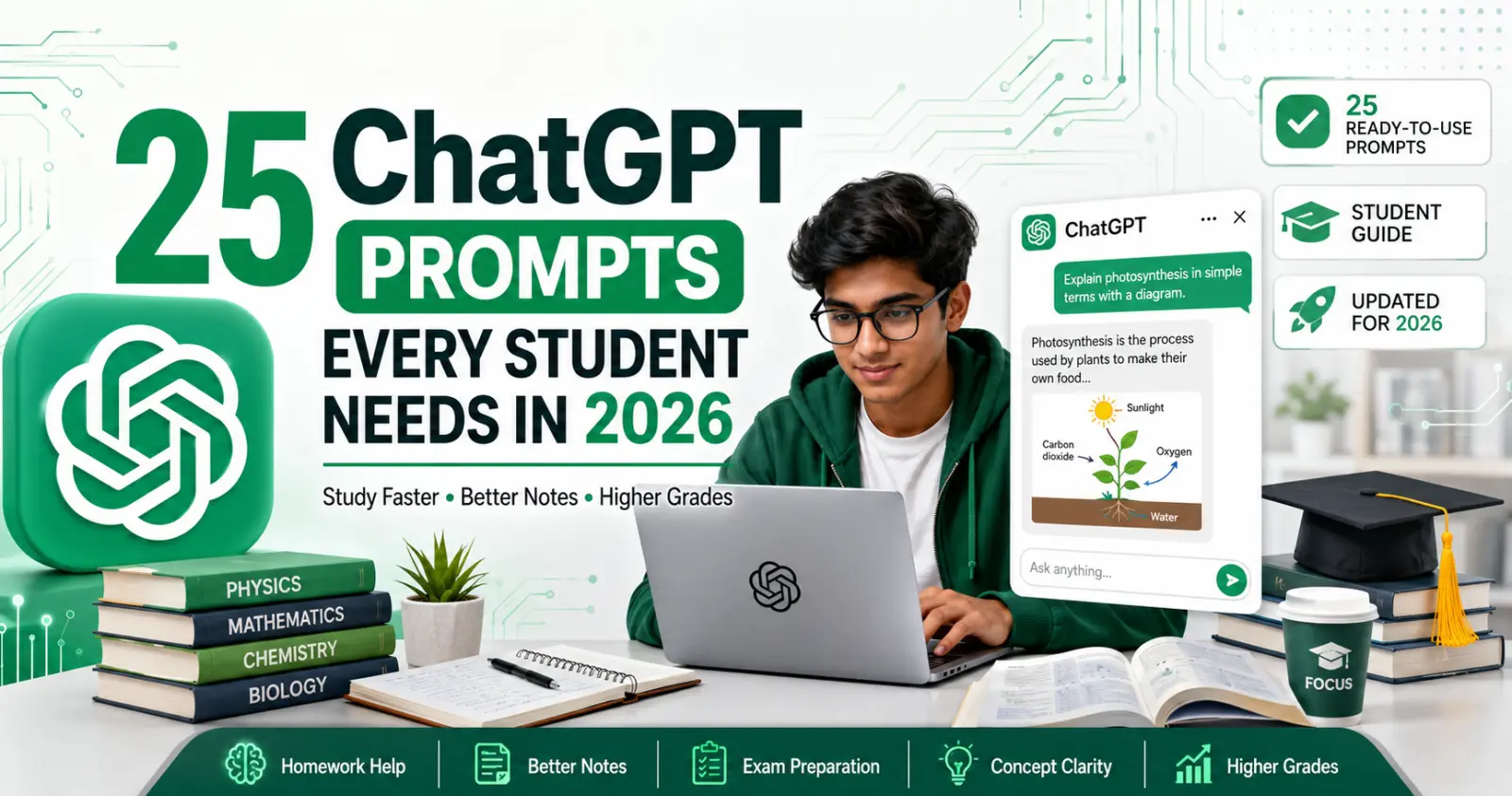
25 Best ChatGPT Prompts for Students in 2026: Study Smarter, Save Time & Improve Your Grades

A2E AI Review 2026: This AI Video Generator Gives Free Credits Every Day

Why I Started Solvex Technologies After 9 Years in Software Development

Best Free AI Video Generators (2026) - The Honest Guide

Best Free AI Video Generators in 2026 (No Watermark Text-to-Video Tools Reviewed)