Home › AI Tools › 9 Best AI Video Generators in 2026: Create Videos from Text, Images & Prompts
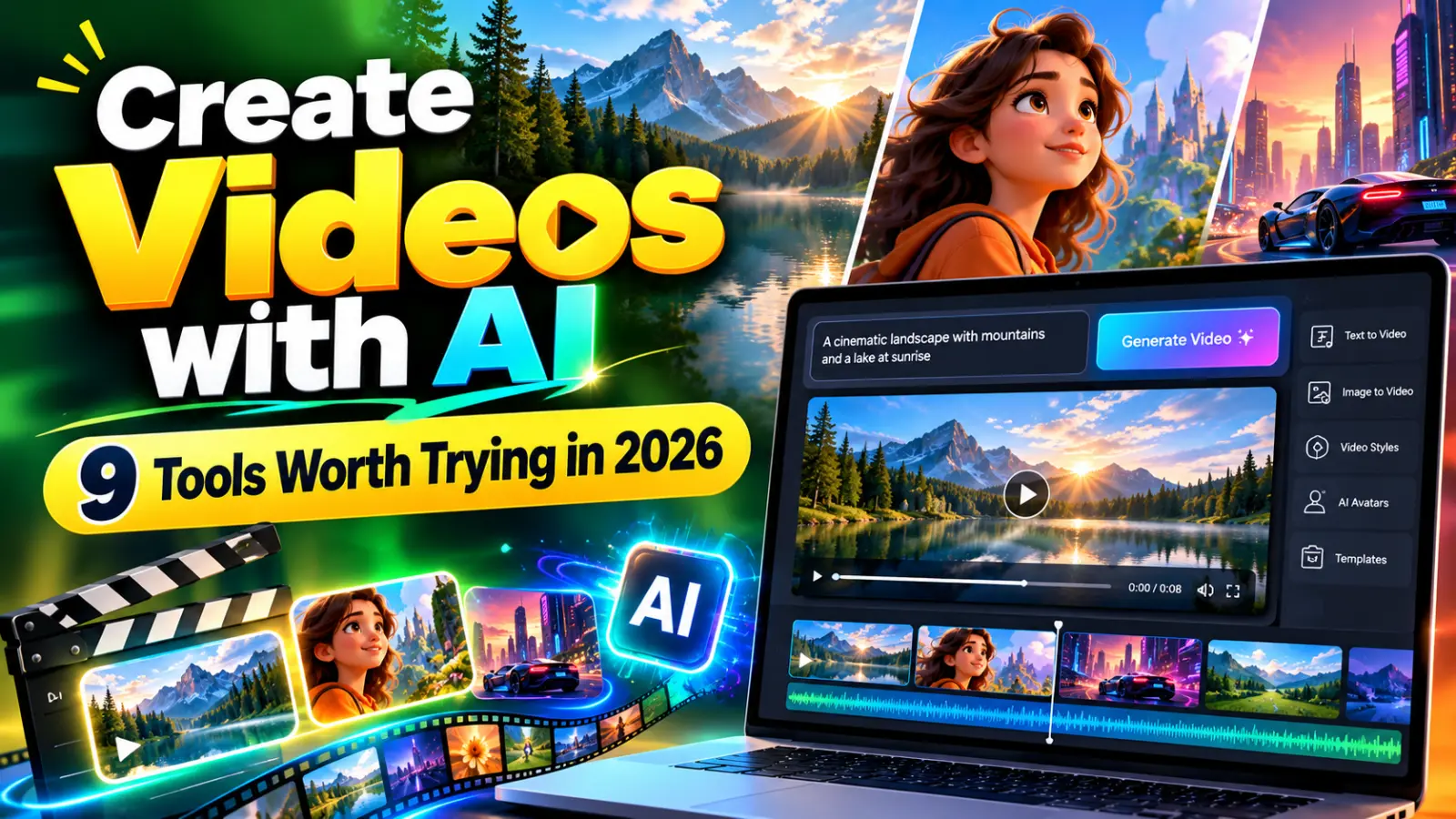
9 Best AI Video Generators in 2026: Create Videos from Text, Images & Prompts
#Video Editing
#Content Creation
#AI Video Generators
#AI Video Creation
#Text to Video AI
#Image to Video AI
#Free AI Video Tools
#Runway AI
#Kling AI
#Pika AI
#Google Veo
Introduction
Imagine creating a short cinematic video by describing a scene in a few sentences. You write what should happen, select a visual style, and let an AI model generate a clip.
A few years ago, producing this kind of video often required cameras, editing software, animation skills, or a production team. AI video generation has made some of these tasks more accessible to individuals and small businesses.
Recommended for you
Today, AI video tools can help creators turn text prompts into video clips, animate still images, generate visual concepts, and produce footage for social media. Some tools also support audio, dialogue, camera movement, or more advanced scene controls.
However, choosing the right platform isn't as simple as picking the one with the most impressive demonstration. A tool that creates beautiful cinematic clips might not be the best choice for a YouTube tutorial. Another tool may be excellent for animating product photos but offer limited free credits.
In this guide, we'll explore nine AI video generators, explain their strengths, and help you choose one for your particular needs.
One important note: A free trial, a free account, and a permanently free plan are different things. Credit limits, watermarks, output resolution, and commercial-use terms can change. Always verify the current conditions on the official website.
What is an AI video generator?
An AI video generator uses artificial intelligence to create or transform video content.
Depending on the platform, you may be able to:
Generate a video from a written description.
Animate an existing photograph.
Create short cinematic scenes.
Generate visual effects or alternative shots.
Produce clips for advertisements and social media.
Combine generated footage with a conventional editing workflow.
For example, you could enter this prompt:
A small coffee shop on a rainy evening, warm lights reflecting on wet streets, people walking past the window, cinematic camera movement, realistic lighting, no text on screen.
A text-to-video model may generate a short scene based on that description. The result won't necessarily match every detail perfectly, so you may need to refine the prompt or generate another version.
9 best AI video generators in 2026
The following tools are worth comparing for different video-generation tasks. They are not a universal ranking based on identical testing conditions; each platform has different models, controls, and access limits.
| Tool | Best suited for | Main capability | Free access |
|---|---|---|---|
| Runway | Creative and cinematic work | AI video generation and editing workflows | Limited free access; features vary |
| Google Veo | High-quality generated scenes | Text/image-based video generation, depending on model and access | Access depends on product and plan |
| Kling AI | Text-to-video and image-to-video | Generating and animating scenes | Check current credit limits |
| Pika | Creative social clips | AI-generated and transformed video | Free access and quotas may vary |
| Adobe Firefly | Creative workflows | Generative media features, including video where available | Credits and features depend on plan |
| Canva | Social media content | AI-assisted creation and video editing | Free editor; AI features may be limited |
| Luma AI | Visual scene generation | Generative video and creative tools | Check current availability and plan |
| InVideo AI | Prompt-based videos | Creating assembled videos from instructions | Limited access; export conditions vary |
| CapCut | Short-form editing | AI-assisted editing and video production | Many free editing features; AI access varies |
1. Runway — Best for creative video production
Runway is worth exploring if you want more than a basic slideshow or template-based video. Its platform offers AI video-generation models and tools for building visual scenes.
What you can use it for:
Short cinematic sequences
Creative advertising concepts
Visual storytelling
Experimental films
Generative footage for editing projects
For example, a small business could create several visual concepts for a product advertisement before deciding which direction to develop further.
Runway's official AI video generator page describes its current video-generation offering and available models.
Limitations: Different models may have different access requirements, and free credits are limited. Generated clips may need additional editing to fit a longer narrative.
2. Google Veo — Best for advanced generated scenes
Google's Veo family focuses on generating video from prompts and, depending on the model and workflow, other visual inputs.
It may be useful for creators who need realistic scenes, cinematic visuals, or more sophisticated video-generation capabilities.
Potential use cases:
Concept videos
Cinematic backgrounds
Creative storytelling
Visual prototypes
Short promotional scenes
Start with the official Google DeepMind Veo page to understand the model and its capabilities.
Limitations: Access to specific models and features can depend on the Google product, region, account, and plan. Do not assume every Veo feature is available free of charge.
3. Kling AI — Best for text-to-video and image animation
Kling AI is a platform to investigate when you want to create scenes from written prompts or animate an existing image.
A creator might upload a product photograph and describe how the camera should move around it. Depending on the available model, the tool can generate a short animated clip based on the input.
Useful for:
Product visuals
Social media videos
Short narrative scenes
Image animation
Creative experimentation
Limitations: The results can vary with prompt complexity, and free usage may be limited by credits or other restrictions.
4. Pika — Best for creative short-form videos
Pika focuses on AI-powered video creation and transformation. It can be useful when you want to experiment with unusual visual effects or produce short, attention-grabbing clips.
Good for:
Social media experiments
Creative transitions
Short visual concepts
Stylized scenes
Animated images
It is especially worth considering when the objective is a short creative clip rather than a full-length video.
Before choosing it, check the current generation quota, export options, and available features on the official website.
5. Adobe Firefly — Best for creative workflows
Adobe Firefly brings generative AI capabilities into Adobe's creative ecosystem.
For designers and marketers who already work with Adobe products, it can be a convenient option for exploring AI-generated visual material.
Potential uses:
Marketing concepts
Creative backgrounds
Short generated footage
Visual experimentation
Supporting assets for edited videos
Limitations: Feature availability, usage credits, and commercial terms vary. Review Adobe's current documentation before using generated assets in client projects.
6. Canva — Best for beginners and social media videos
Canva is useful if you want to combine video clips, text, graphics, templates, and music in one editor.
Its AI capabilities can help with parts of the creation process, while the regular editing tools let you assemble a finished social media video.
Best for:
Instagram Reels
YouTube Shorts
Product announcements
Educational clips
Promotional videos
Canva may be more practical than a pure video-generation model when you need a finished piece of content containing titles, branding, and several clips.
7. Luma AI — Best for visual experimentation
Luma AI offers generative tools for creating and working with visual content, including video-related workflows.
It is worth exploring for creators who want to experiment with camera movement, scene generation, and imaginative visual concepts.
Potential uses: Creative scenes, product concepts, short films, and visual prototypes.
As with other generative video platforms, confirm the available models, usage limits, and commercial rights before committing to a workflow.
8. InVideo AI — Best for turning ideas into assembled videos
InVideo AI takes a more production-oriented approach to prompt-based video creation.
Rather than focusing exclusively on generating a single cinematic clip, it can help assemble video content from instructions and supporting assets, depending on the current product features.
Useful for:
Explainer videos
Marketing content
Educational videos
Narrated social posts
Drafting video scripts into a visual format
Limitations: Stock media, voiceovers, exports, and watermark policies may differ by plan. Check the conditions before building a large project.
9. CapCut — Best for editing AI-assisted short videos
CapCut is primarily useful as a video editor with AI-assisted features, rather than as a direct replacement for every text-to-video generator.
It can help creators combine clips, captions, transitions, effects, and audio into a finished short video.
Best for:
Reels and Shorts
Automatic captions
Quick edits
Social media videos
Combining generated clips with real footage
Some features vary by device, location, and subscription. Review the current terms and confirm which tools are available in your version.
Which AI video generator is right for you?
| Your goal | Where to start |
|---|---|
| Generate cinematic scenes | Runway or Google Veo |
| Animate a still image | Kling AI or a suitable Runway workflow |
| Experiment with creative effects | Pika |
| Create marketing visuals | Adobe Firefly or Canva |
| Make a narrated explainer video | InVideo AI |
| Edit Reels and Shorts | CapCut or Canva |
| Explore visual concepts | Luma AI |
The best tool for you depends on the type of output you need. A cinematic clip, an animated product photo, and a complete educational video are three different tasks.
How to write better AI video prompts
A detailed prompt gives the model more information about the scene you want.
Instead of writing:
A car driving on a road.
Try:
A red electric car driving along a coastal highway at sunset. Wide cinematic shot, ocean on the right, golden light reflecting on the car, realistic road movement, smooth tracking camera, natural colors, no text or logos.
Useful prompt elements include:
Subject: What should appear in the video?
Action: What is happening?
Setting: Where does the scene take place?
Camera: Wide shot, close-up, tracking shot, or aerial view.
Lighting: Daylight, sunset, studio lighting, or dramatic shadows.
Style: Realistic, animated, cinematic, or documentary.
Restrictions: Anything that should not appear.
For consistent characters or products, use reference images when the tool supports them. Even then, expect some variation between generations.
Can you create YouTube Shorts using AI?
Yes. AI video tools can help generate visual scenes, while editing tools can add narration, captions, music, and transitions.
A practical workflow is:
Write a short script.
Divide the script into scenes.
Generate or source suitable visuals.
Edit the clips into a vertical 9:16 video.
Add captions and voiceover.
Check the pacing and audio.
Verify the accuracy of the content and the rights to any assets.
Export and review the finished video on a phone.
For a tutorial or educational Short, a mix of AI-generated visuals, screen recordings, and original narration may work better than generating the entire video with one prompt.
Are free AI video generators really free?
Many platforms provide free credits or limited access, but restrictions differ.
Before selecting a tool, check:
How many videos or credits are included?
Do credits renew or are they a one-time allowance?
Is the export watermarked?
What resolution is available?
Can you download the finished clip?
Is commercial use allowed?
Are generated videos private or publicly accessible?
What happens to unused credits?
For regular content production, the most useful tool is not necessarily the one with the best free demo. It is the one that fits your workflow and offers acceptable output at a sustainable cost.
Frequently asked questions
1. What is the best AI video generator in 2026?
There is no single winner for every task. Runway and Google Veo are worth exploring for generated scenes, while Canva and CapCut are useful for assembling and editing finished content. Your choice should depend on the desired output and available plan.
2. Can I generate AI videos for free?
Some platforms provide free credits or limited free features. However, video duration, resolution, download access, and watermarks may be restricted.
3. Which AI can turn text into video?
Several platforms support text-to-video generation, including Runway, Kling AI, Pika, and Google's Veo family, subject to model and access availability.
4. Can AI turn an image into a video?
Yes. Image-to-video tools animate a supplied image based on a prompt. The resulting motion may not perfectly preserve every detail of the original image.
5. Can I use AI-generated videos on YouTube?
Generally, AI-generated videos can be used on YouTube, subject to applicable platform rules, copyright, and the rights associated with the content. Monetization depends on the overall content and applicable YouTube policies, not simply on whether AI was used.
6. Do AI video generators add watermarks?
Some free plans may add watermarks or restrict clean exports. Check the current terms of each platform before producing content for clients or commercial use.
7. Can AI replace a professional video editor?
AI can automate certain tasks, but professional editing still requires storytelling, pacing, sound design, continuity, and quality control. AI works best as an additional tool in many production workflows.
8. Are AI-generated videos copyright-free?
Not automatically. The applicable rights depend on the tool's terms, source material, local law, and how the content was generated. Review the licensing terms before commercial use.
Conclusion
AI video generation is making it easier to experiment with scenes, animate images, and create supporting visuals without a traditional production setup.
For cinematic generation, explore Runway, Veo, or Kling AI. For creative experiments, try Pika. For finished social media content, Canva and CapCut may be more practical. If you want narrated videos assembled from instructions, investigate InVideo AI.
Start with a small project, test the free limits, and compare the actual output rather than relying only on promotional examples.
Explore more on Solvex Technologies:
Best Free AI Video Generators in 2026: No Watermark Tools
Best Free AI Tools for Image Generation
This AI Tool Creates Videos in 30 Seconds: No Editing Needed

Continue Reading
Recommended Articles
.png)
.png)
.png)
.png)
Recent Posts

9 Best AI Video Generators in 2026: Create Videos from Text, Images & Prompts
7 Best Free AI PPT Generators in 2026- Create Presentations in Minutes
25 Best ChatGPT Prompts for Students in 2026: Study Smarter, Save Time & Improve Your Grades
A2E AI Review 2026: This AI Video Generator Gives Free Credits Every Day

Why I Started Solvex Technologies After 9 Years in Software Development
Best Free AI Video Generators (2026) - The Honest Guide
Best Free AI Video Generators in 2026 (No Watermark Text-to-Video Tools Reviewed)