Home › Productivity › 7 AI Tools Freelancers Use to Earn More (Most People Ignore #3)
7 AI Tools Freelancers Use to Earn More (Most People Ignore #3)
.png)
Freelancing isn’t hard because of skills.
It’s hard because of time.
Writing content, designing graphics, replying to clients, editing videos — everything takes hours. And if you’re doing it manually, you hit a limit very quickly.
Recommended for you
Why I Started Solvex Technologies After 9 Years in Software Development
Top 3 AI Tools Students Must Use in 2026 (Boost Productivity & Grades)
That’s where AI changes everything.
Today, freelancers are using AI tools to:
- Deliver work faster
- Handle multiple clients
- Increase income without working more hours
But here’s the key — it’s not about using more tools.
It’s about using the right tools for the right tasks.
This guide breaks down the best AI tools for freelancing in 2026, with real use cases and how you can actually make money using them.
How AI Helps Freelancers (Real Advantage)
AI doesn’t replace freelancers — it amplifies them.
Instead of spending 5 hours on a task, you can:
- Finish in 1–2 hours
- Take more clients
- Increase earnings
Freelancers use AI mainly for:
- Content creation
- Design
- Video editing
- Client communication
- Automation
AI tools automate repetitive work, freeing time for high-value tasks
Best AI Tools for Freelancing (With Use Cases)
1. ChatGPT – Writing, Research & Client Work
What It Does
- Blog writing
- Email replies
- Client proposals
- Script generation
ChatGPT is still the most versatile tool for freelancers, capable of generating structured content, code, and ideas quickly
How Freelancers Use It
- Write Fiverr gig descriptions
- Create SEO blog posts
- Draft client messages
If you’re starting freelancing — this is your #1 tool.
2. Canva AI – Design Without Skills
What It Does
- Social media posts
- Thumbnails
- Ads
- Presentations
Why It Works
You don’t need design skills.
Freelancers use Canva AI to:
- Create Instagram content
- Design client creatives
- Build brand kits
Small businesses constantly need visuals — this is easy money.
3. Midjourney / AI Image Tools – High-Paying Design Work
What It Does
- Generate high-quality images
- Create logos, posters, thumbnails
AI image tools like Midjourney dominate visual content creation with high-quality outputs
Freelance Use Case
- Sell thumbnails
- Create brand visuals
- Offer “AI design services”
High demand, low competition (if done well)
Runway / Pika / Video AI Tools – Content Creation
What It Does
- AI video generation
- Editing
- Background removal
Why It’s Powerful
Video content is exploding.
Freelancers use this for:
- YouTube Shorts
- Instagram Reels
- Client video ads
👉 Video services = higher pricing
5. Jasper / Copy.ai – Copywriting & Marketing
What It Does
- Sales copy
- Ad creatives
- Email marketing
Tools like Jasper specialize in structured marketing content like ads and product descriptions
Use Case
- Write Facebook ads
- Create landing page content
- Email sequences
Businesses pay well for this.
Notion AI / ClickUp AI – Productivity & Management
What It Does
- Task management
- Notes
- Workflow automation
Why It Matters
Freelancers fail not because of work — but poor management.
These tools help:
- Organize projects
- Track clients
- Stay consistent
7. Automation Tools (Zapier, etc.)
What It Does
- Automate tasks
- Connect apps
- Save time
Example:
- Auto-send emails
- Auto-post content
👉 This is how freelancers scale.
Best AI Tool Stack (Recommended Setup)
If you're starting, don’t use everything.
Use this:
- ChatGPT → Writing & thinking
- Canva → Design
- Video AI tool → Content
- Notion → Organization
👉 Simple stack = better execution
How Freelancers Actually Make Money Using These Tools
Here’s how it connects:
Content Writing
- ChatGPT → Draft
- You → Edit
- Client → Pays ₹500–₹2000
Social Media Services
- Canva → Design
- ChatGPT → Captions
- Monthly client → ₹5000–₹20000
Video Editing
- AI video tools → Create
- You → Customize
- Per video → ₹500–₹3000
AI doesn’t earn money.
You earn money faster using AI.
Mistakes to Avoid
- Using too many tools
- Copy-pasting AI output
- Not adding human touch
- Ignoring client needs
AI should support your work — not replace your thinking.
Frequently Asked Questions
1. Which AI tool is best for freelancing beginners?
ChatGPT is the best starting point because it helps with writing, ideas, and client communication.
2. Can AI replace freelancers?
No. AI helps freelancers work faster, but clients still pay for human understanding and customization.
3. How many AI tools should I use?
Start with 2–3 tools. Focus on mastering them instead of trying everything.
Conclusion
Freelancing in 2026 is no longer about working harder — it’s about working smarter.
The freelancers who grow fastest are the ones who:
- Use AI to save time
- Focus on high-value work
- Deliver faster results
Start with one tool, one service, and one client.
Then scale.

Continue Reading
.png)
.png)
Recent Posts
A2E AI Review 2026: This AI Video Generator Gives Free Credits Every Day

Why I Started Solvex Technologies After 9 Years in Software Development
Best Free AI Video Generators (2026) - The Honest Guide
Best Free AI Video Generators in 2026 (No Watermark Text-to-Video Tools Reviewed)
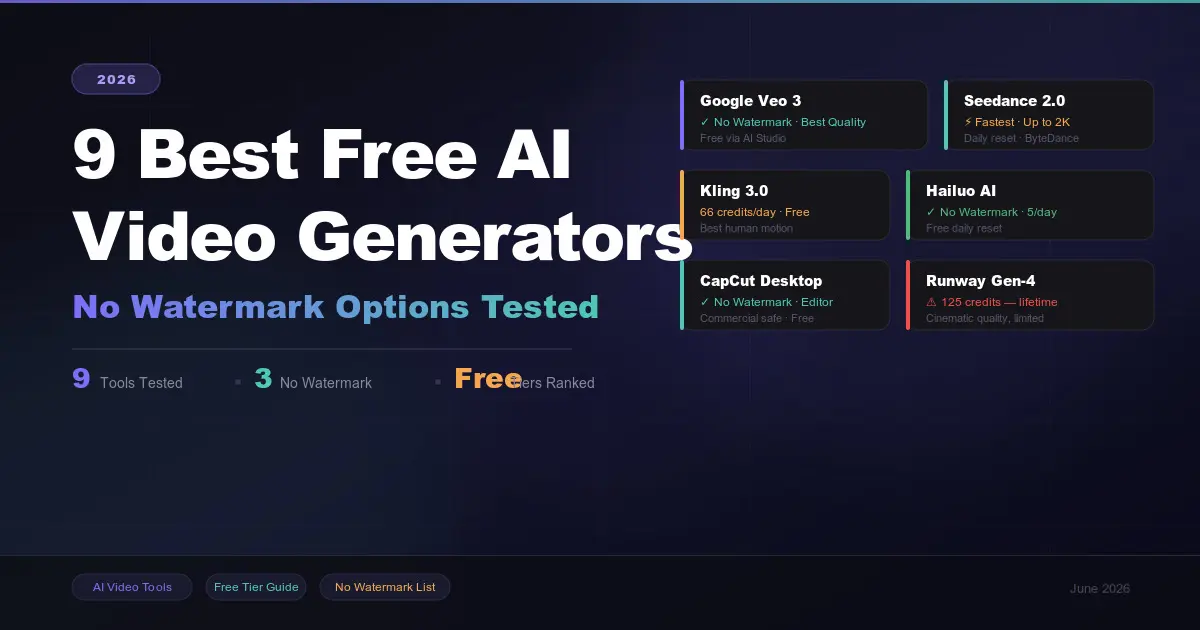
9 Best Free AI Video Generators in 2026 (No Watermark Options Tested)
 in 2026.png)
Build Your First AI Agent in 2026 (Step-by-Step Beginner Guide)
, Gemini, and Claude (2026 Deep Dive).png)
How ChatGPT, Gemini & Claude Actually Work (Simple Explanation 2026)
.png)